
MusicMate Beta Request an invite

This week's lesson, waiting on the music stand at home.

Assign the piece, add a note and a quick recording, and see who practiced before the next lesson. And the pages turn hands-free.

Bring your studio into the beta

Playing on your own? MusicMate is for musicians too.

Free while we test. You'll hear from us well before that changes.

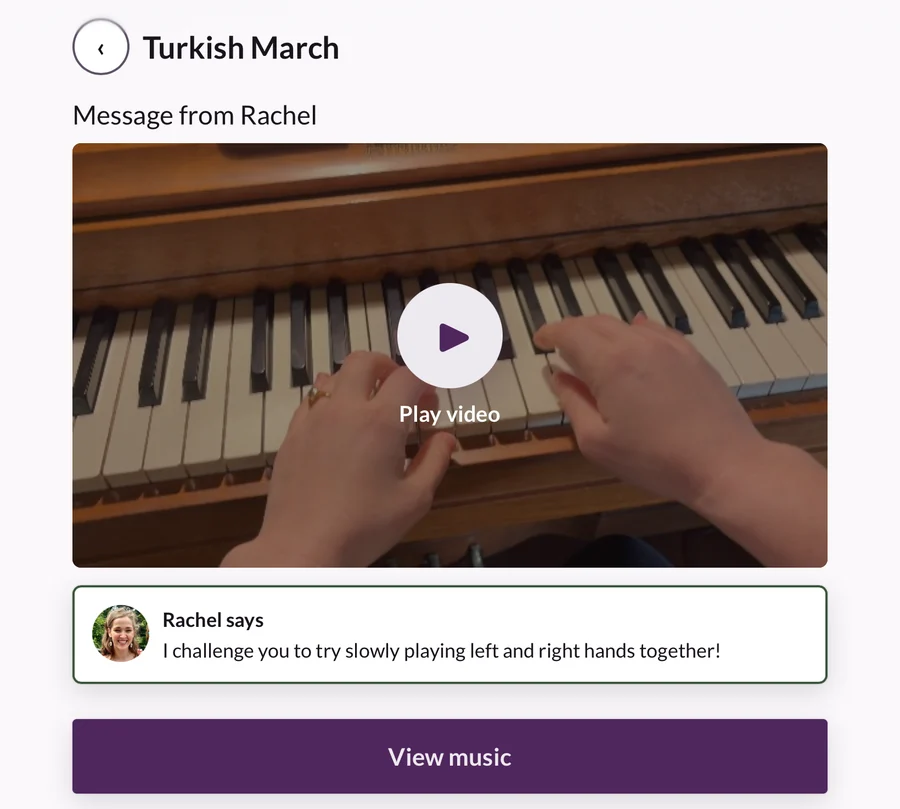
An assignment screen with a video of the teacher's hands on the piano and a note from the teacher
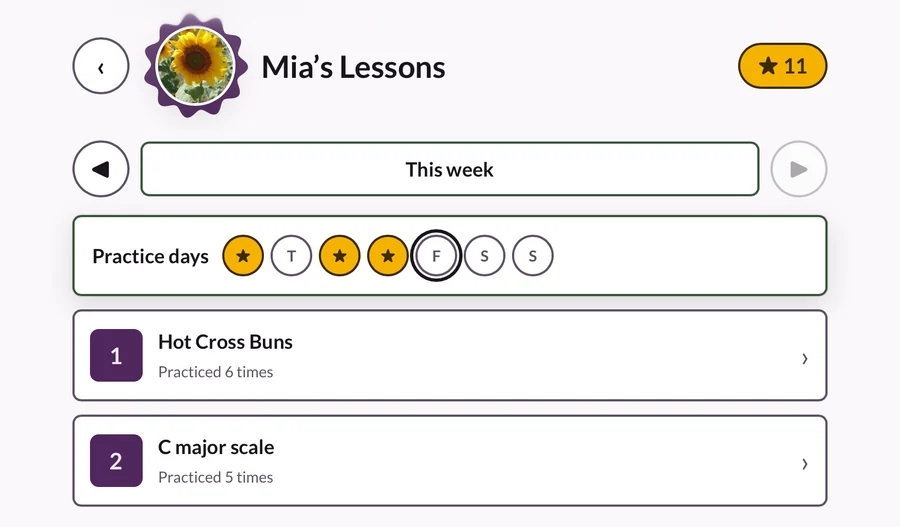
Mia's lessons for this week: 11 points, three practice days marked with stars, and two assignments with how many times each was practiced

Lessons that come homeYour notes and recordings sit right on the piece.

Practice you can seeA dot for every day each student played.

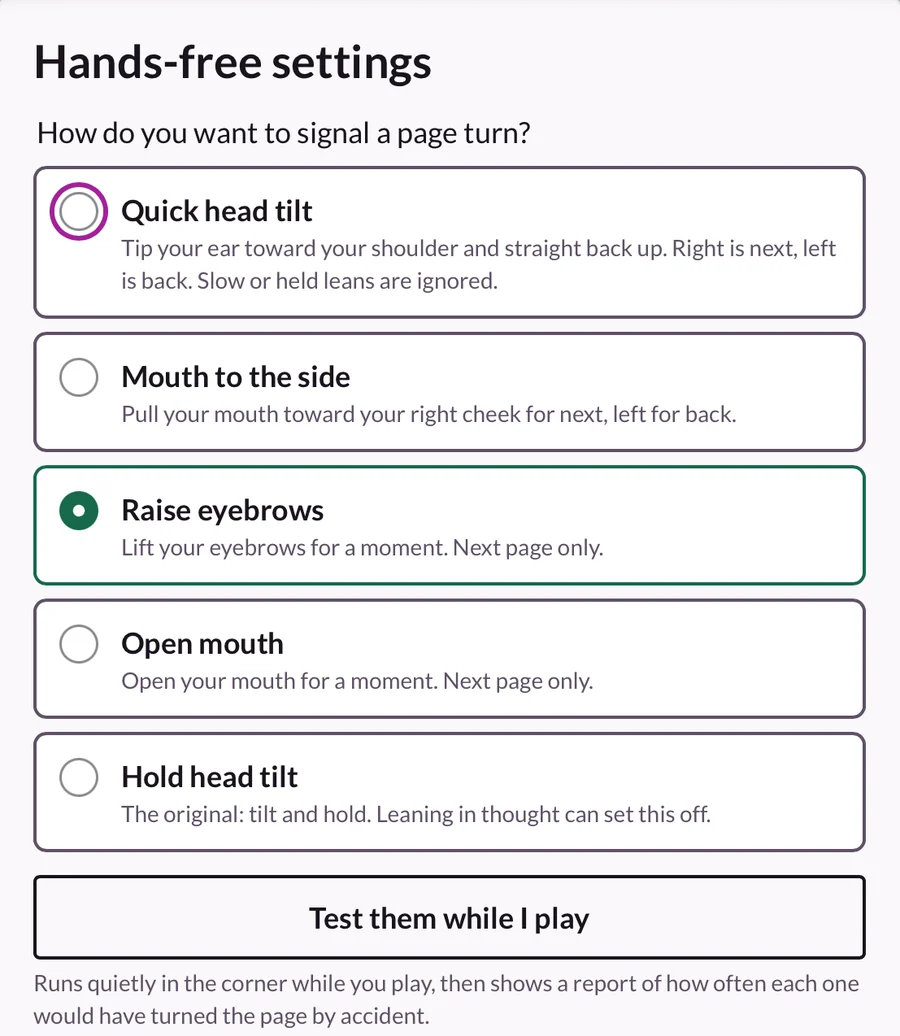
Hands-free page turnsFive signals to choose from, no pedal to buy.

For teachers

Your studio, between lessons

  • Assign in a minute.Snap a photo of the page, pencil marks and all. Add a note, a tempo and a short video of how it should sound.
  • Know before they sit down.See who practiced, and on which days, before the lesson starts.
  • Set up a family with one text.No passwords for kids. Siblings share a device and keep their own progress.
  • Make practice a habit.One tap logs it. Points and a small celebration do the nagging for you.

How families install it

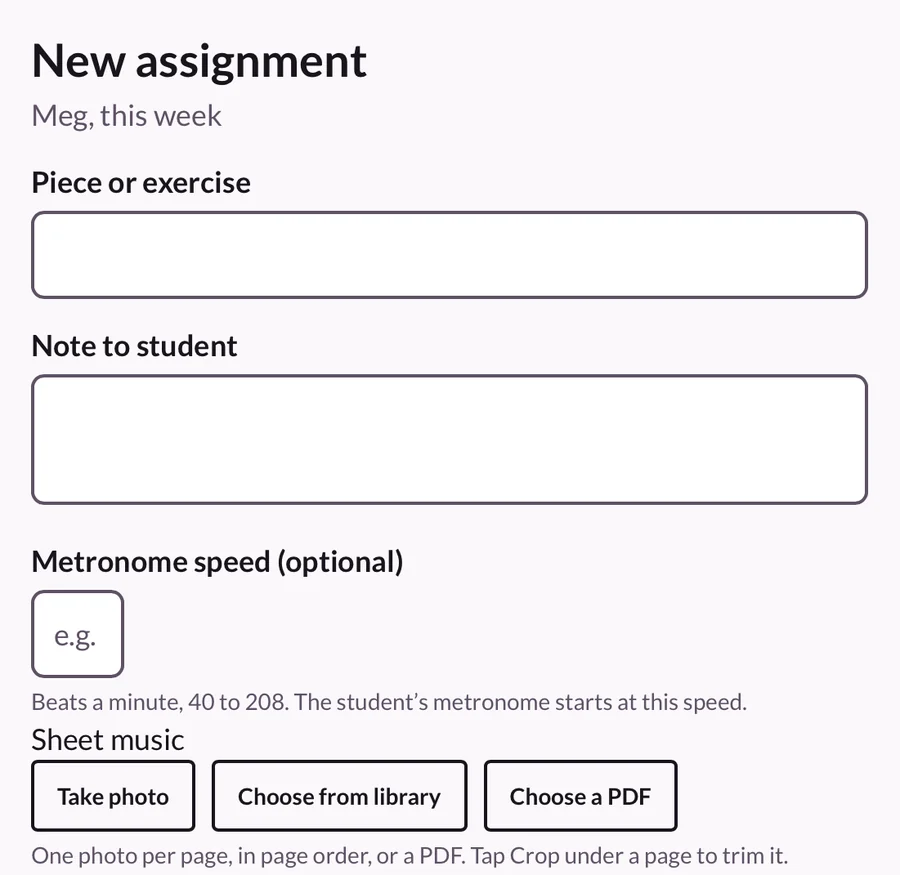
The New assignment form, with fields for the piece, a note to the student and a metronome speed, and buttons to add sheet music from a photo, the library or a PDF
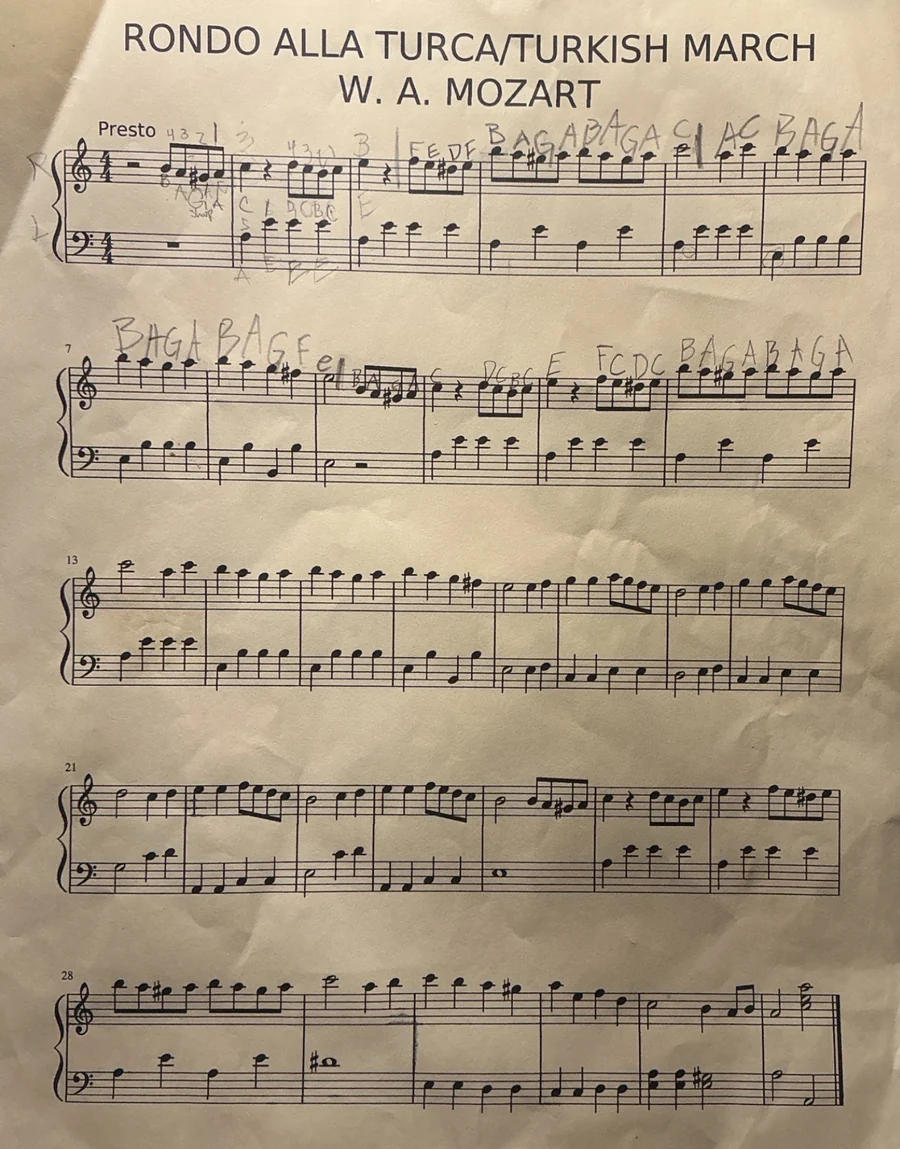
A photographed page of sheet music with a student's pencil notes, open in the music view

For families

For the kid who forgets the music bag

Lesson books get left behind. MusicMate keeps assignments and teacher notes with something your family rarely misplaces.

  • One text to get started.Tap the link from your teacher and you're in.
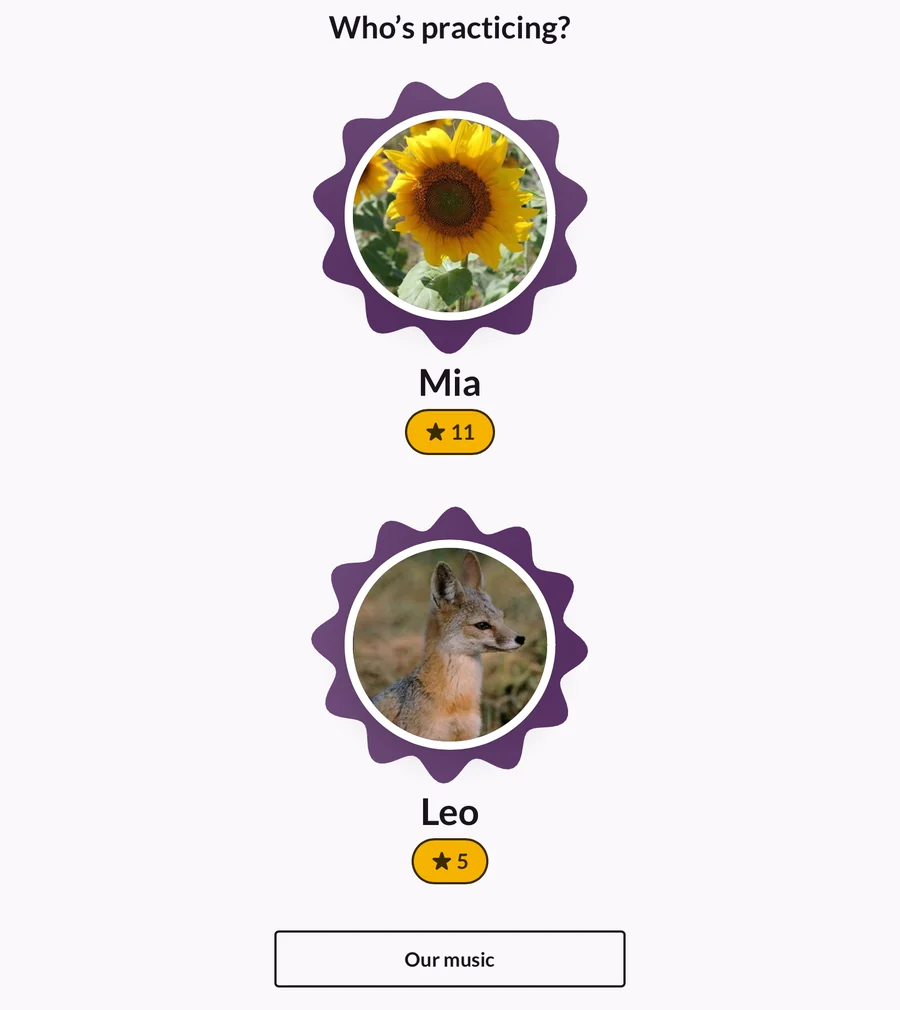
  • Made for small hands.A big "Who's practicing?" screen a five-year-old can use.
  • Practice that feels good.One tap to log it, points to show for it.
The Who's practicing screen, with a sunflower picture for Mia, who has 11 points, and a fox picture for Leo, who has 5

For musicians

Sheet music that turns its own pages

No teacher needed. Bring your own music and keep both hands on the instrument.

  • Hands-free page turns.Raise your eyebrows and the page turns. Or pick a head flick, a mouth move, a jaw drop or a held tilt.
  • Try it before you trust it.Test mode watches quietly while you play, then shows what it would have done.
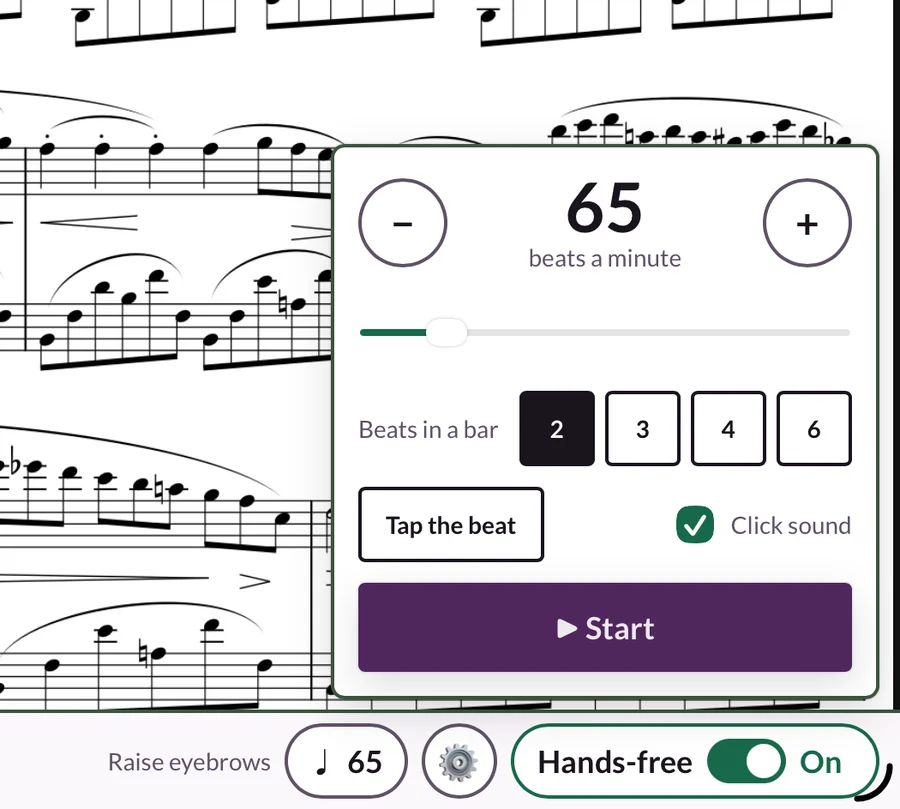
  • A metronome that remembers.Each piece keeps its own tempo.
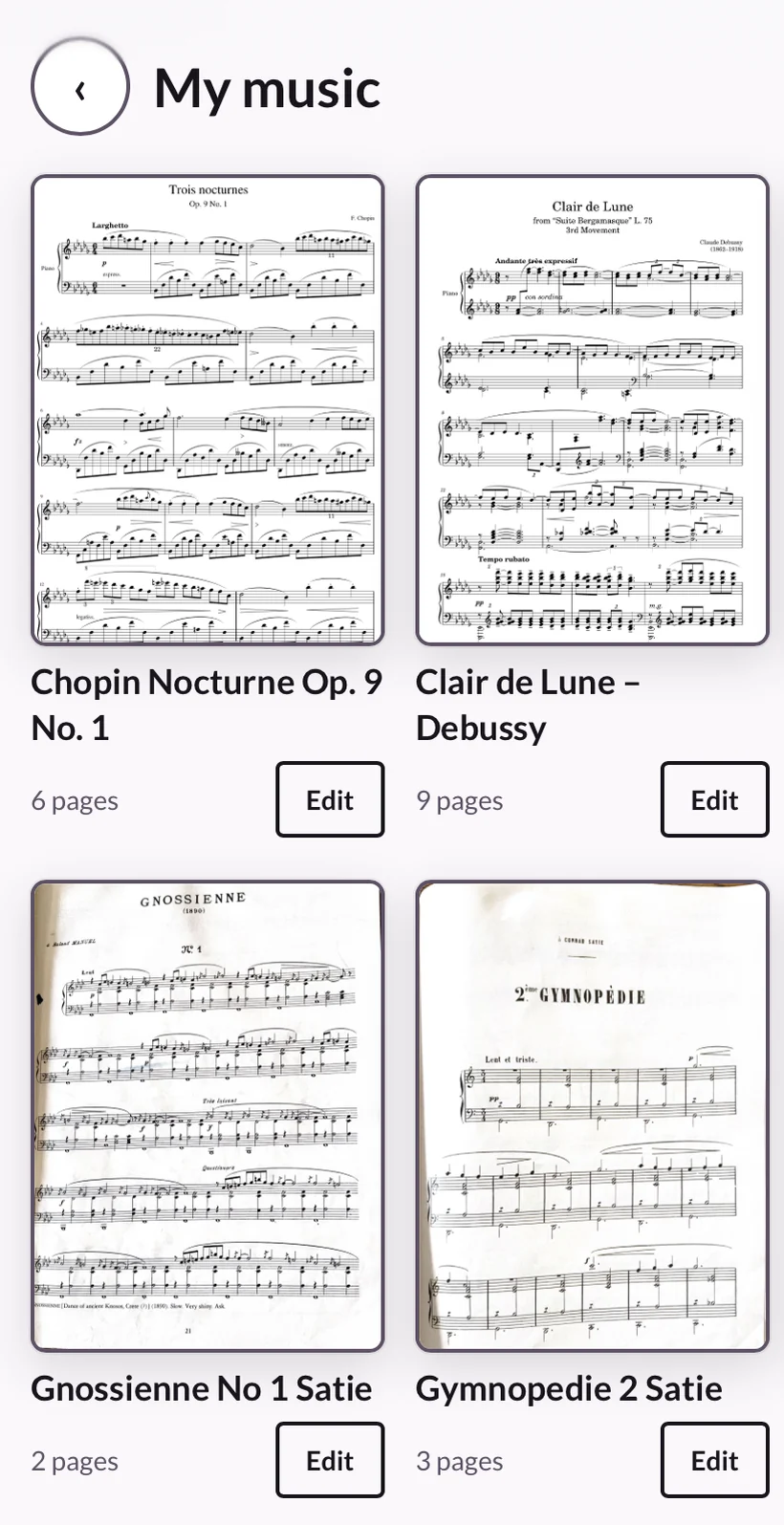
  • Your music, digitized.Add a PDF or snap photos of the page and crop them in the app.
Request a musician invite
The hands-free settings screen, listing five page-turn signals with Raise eyebrows selected and a Test them while I play button
The metronome panel open over a page of music, set to 65 beats a minute
The My music library, showing four pieces by Chopin, Debussy and Satie with their page counts

Teacher questions

How long does setup take?

A few minutes for you. One text message per family.

What devices do my students need?

Any phone, tablet or laptop with a browser. Nothing to download from an app store.

What does it cost?

Free during the beta. Founding studios will hear about pricing well before anything changes.

Is it safe for young students?

No photos of children. A student is a first name, a color and a picture of an animal or flower.

Rachel, the founder of MusicMate, smiling outdoors

Built by a piano teacher, for her own students

I teach piano part-time, and my students kept leaving their books at home and losing track of the week. I'm also a UX designer who has stopped mid-phrase to turn pages for thirty years. My day job is seeing where well-designed tech can help solve a human problem. So I built the thing I wanted on both sides of the bench.

Rachel, piano teacher, designer, lifelong page-turner

Private by design

Only you see you

The camera watches for your signal. The picture is never recorded or sent anywhere.

No ads

No selling information, no tracking across other apps or sites.

No photos of children

A first name, a color and a stock picture.

Read the full privacy policy

Join the founders

We're inviting a small group of teachers first. Tell us about your studio and we'll send your code.

I'm a

Codes go out weekly by email.